 Kaino Play
Free
On iPhone and iPad, no subscription
- 1 IPTV playlist with live channels, no app-imposed limits
- Your own videos, photos and audio files
- VLC, Native and MediaKit players, chosen automatically
- No ads added by the app
IPTV and a media player in one app, on iPhone, iPad, Mac and Apple TV.

Free on iPhone and iPad: 1 IPTV playlist with live channels, your own files and the VLC, Native and MediaKit players.



Premium
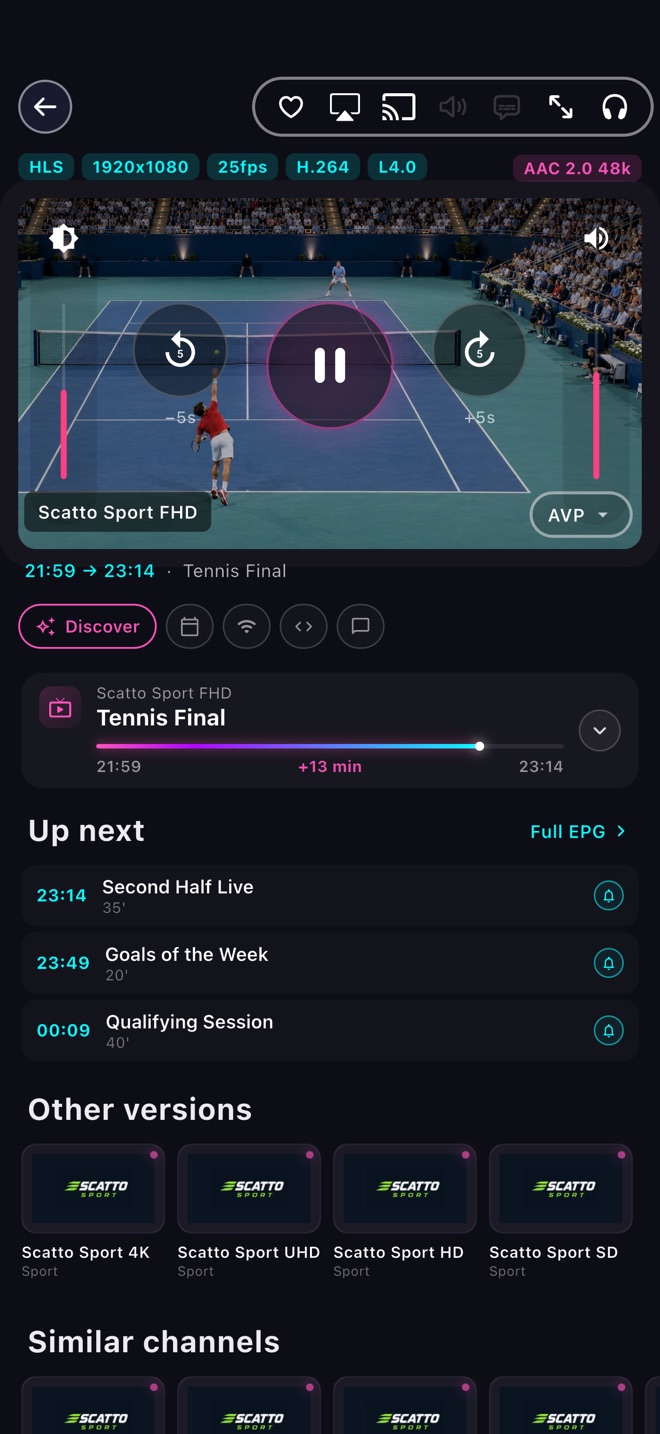
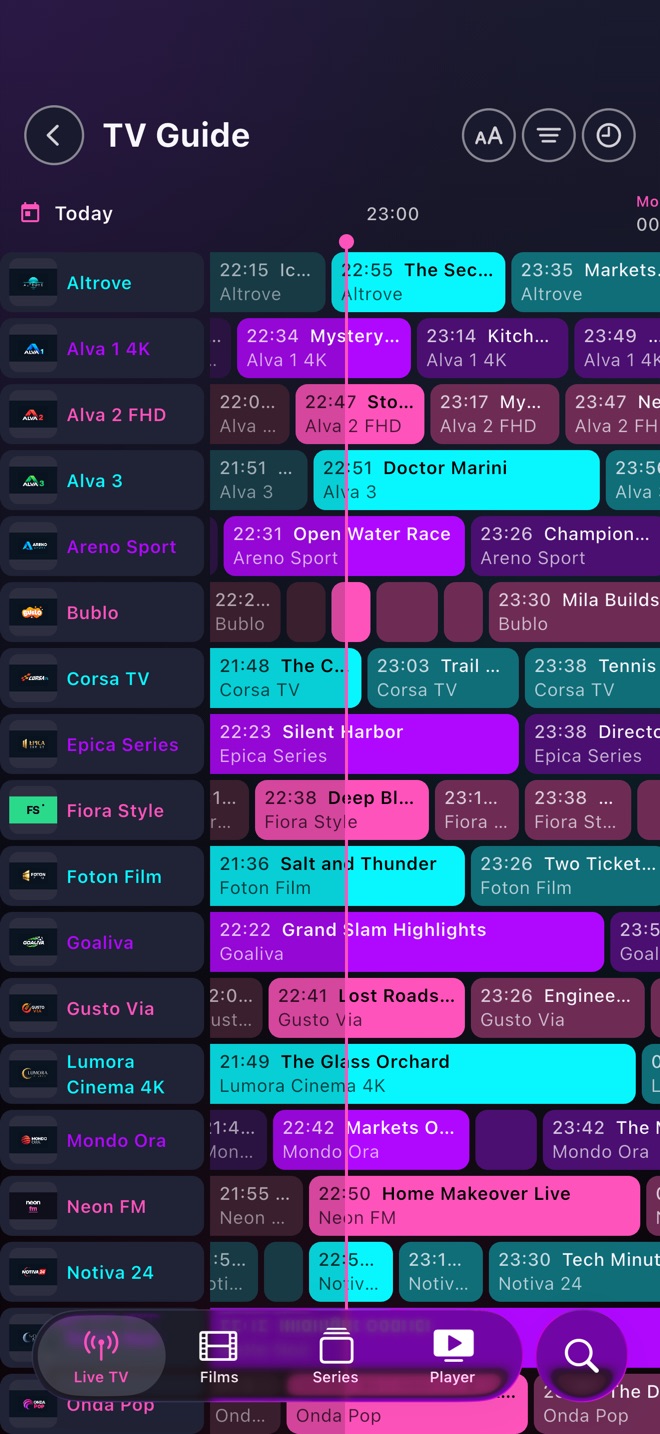
Find what to watch, now or later.
Free
If a video won’t play, try another player.
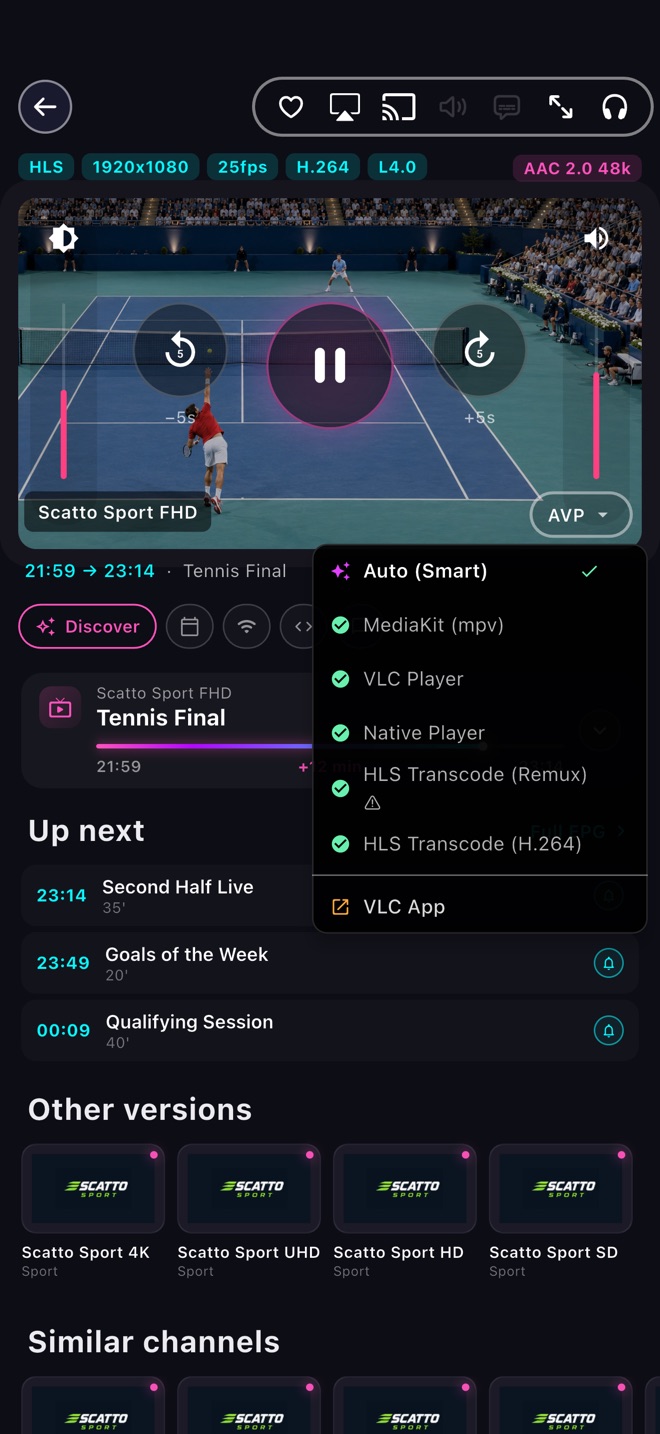
Free
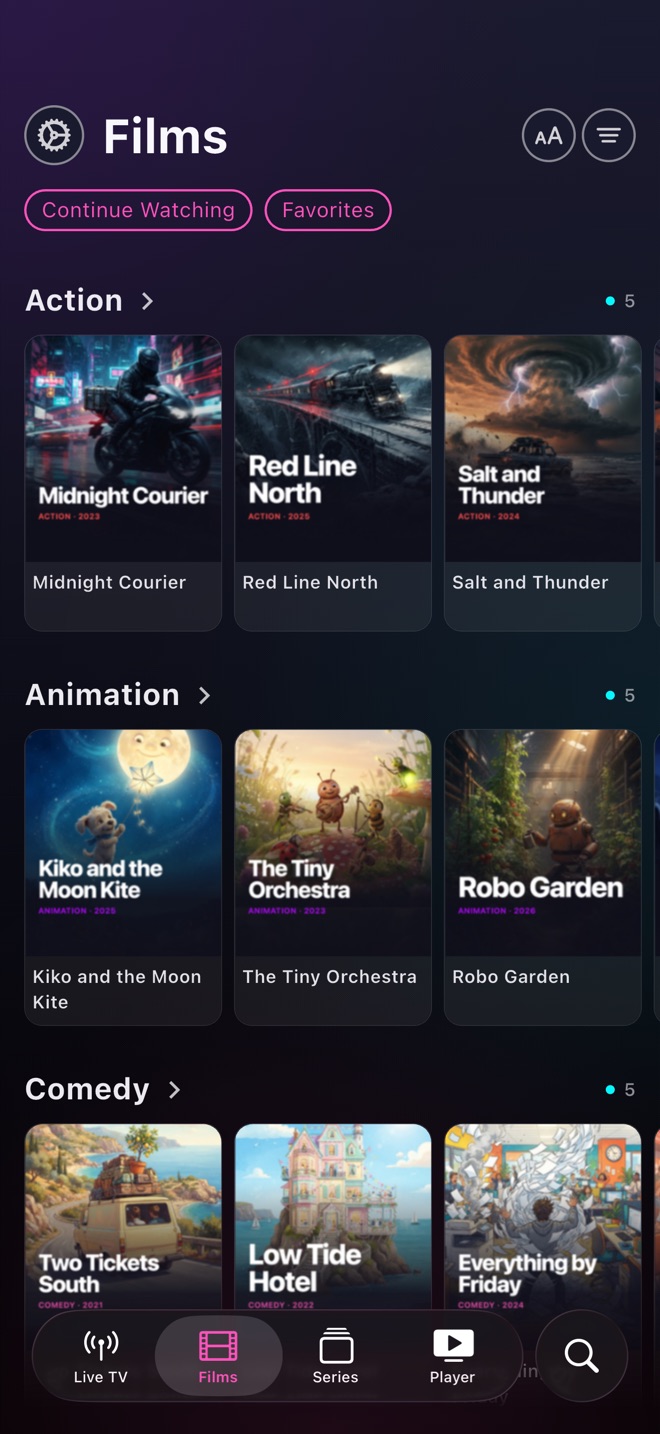
Your videos, photos and music in one place.
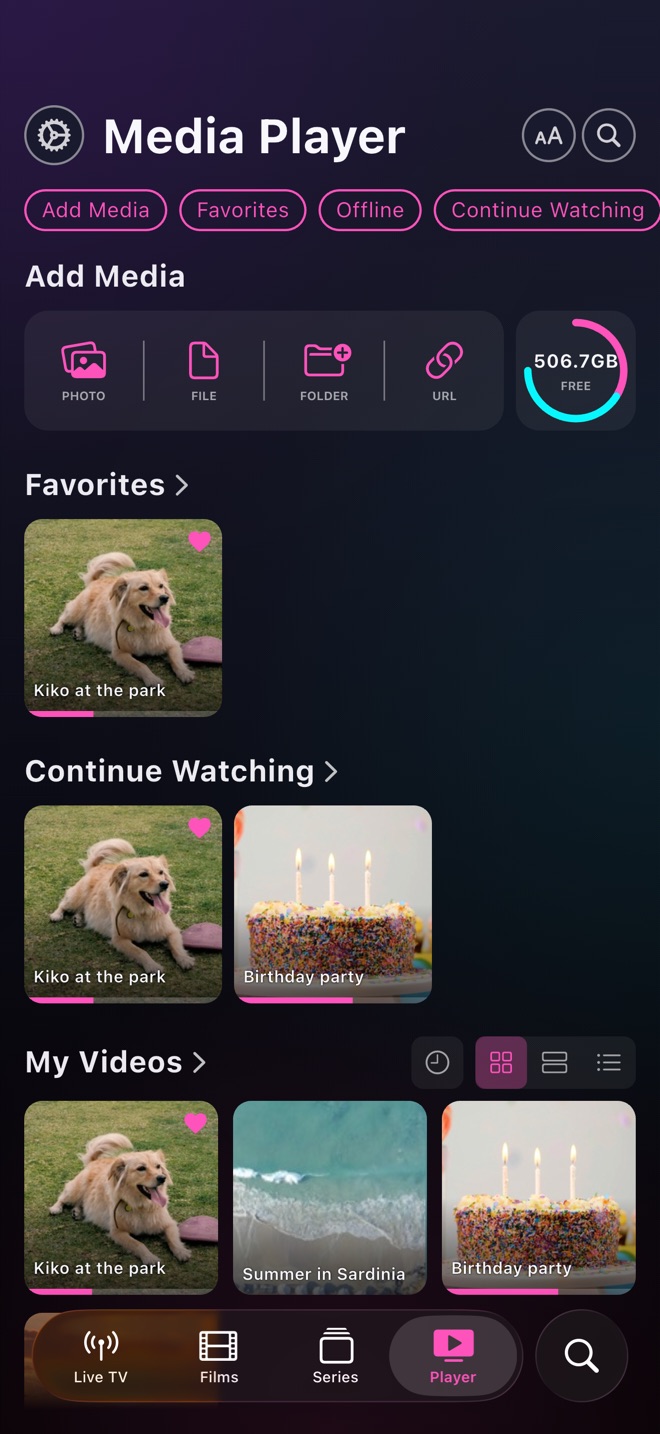
Premium
Find your favorites and keep watching.
Premium
Compare quality and availability in one tap.
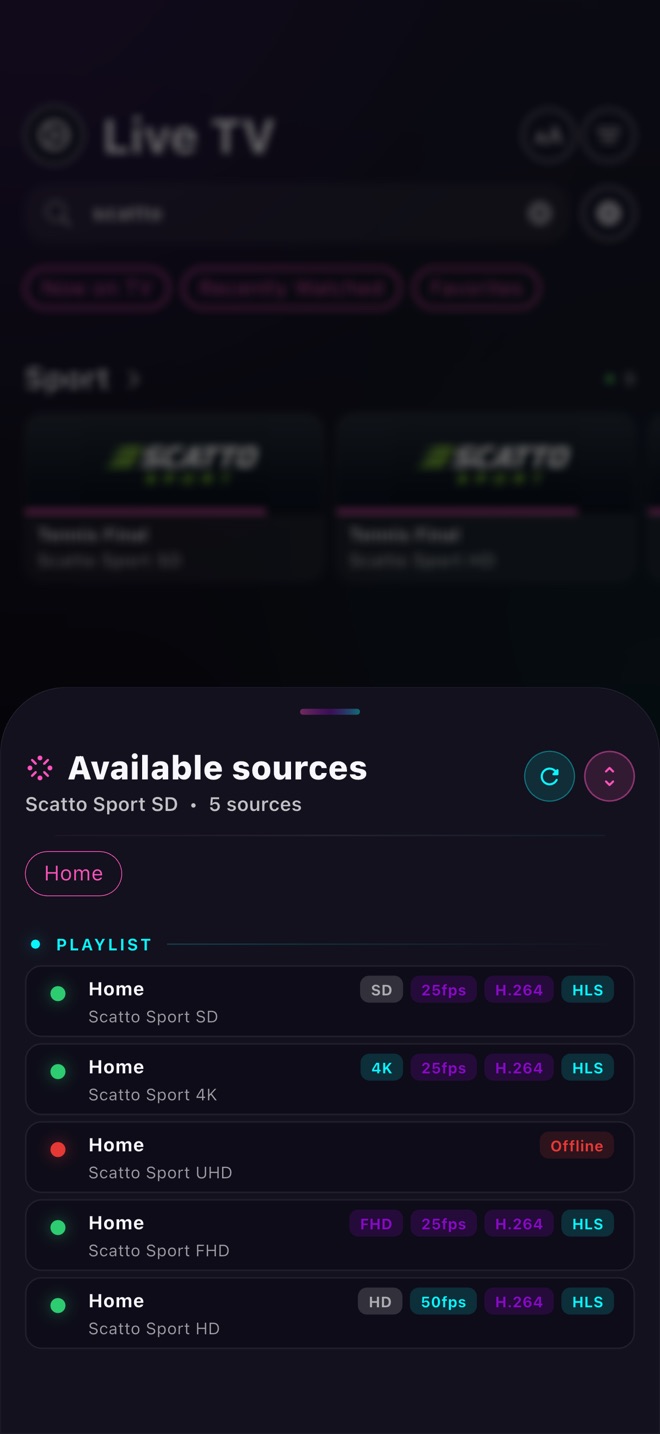
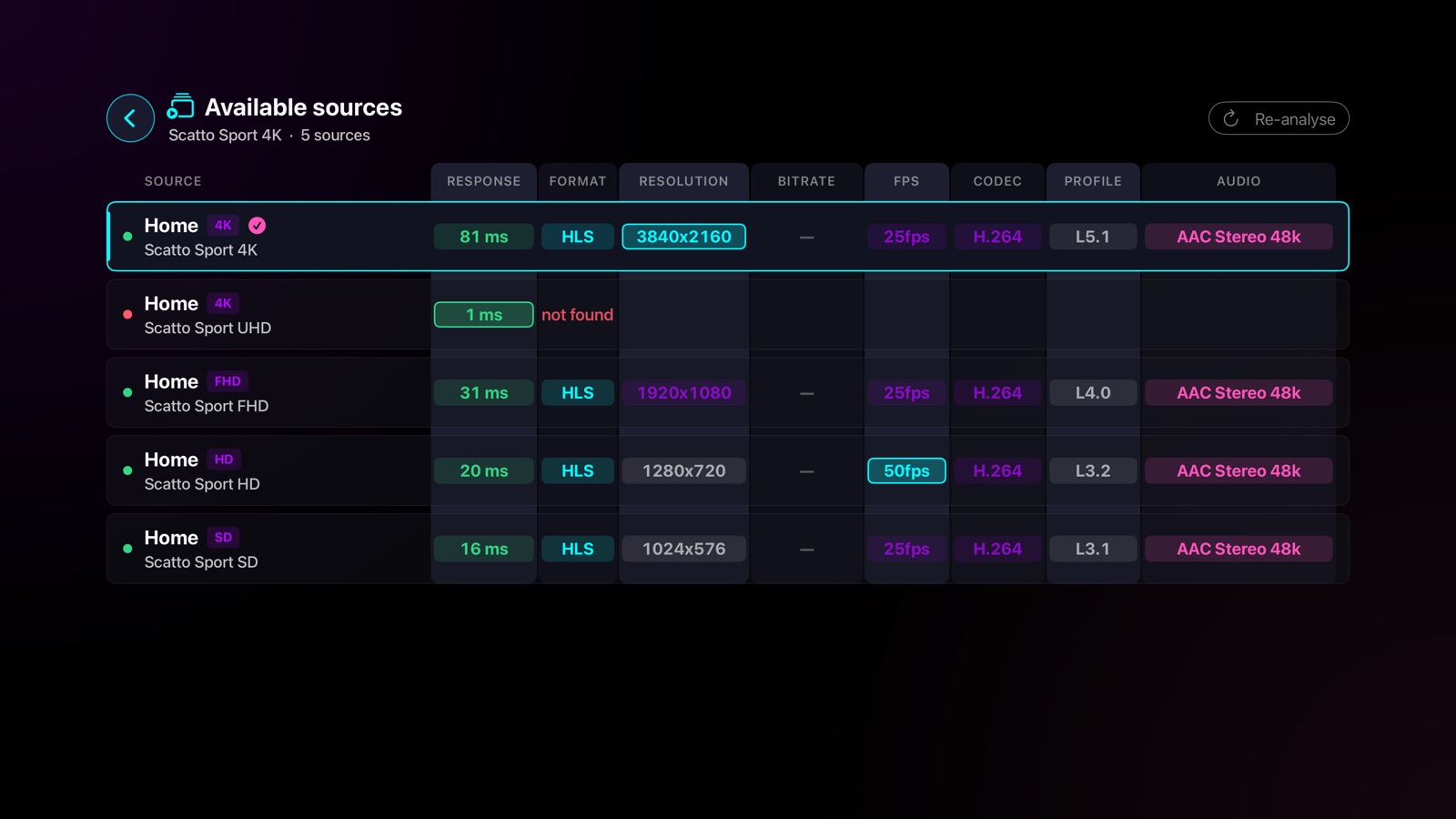
Premium
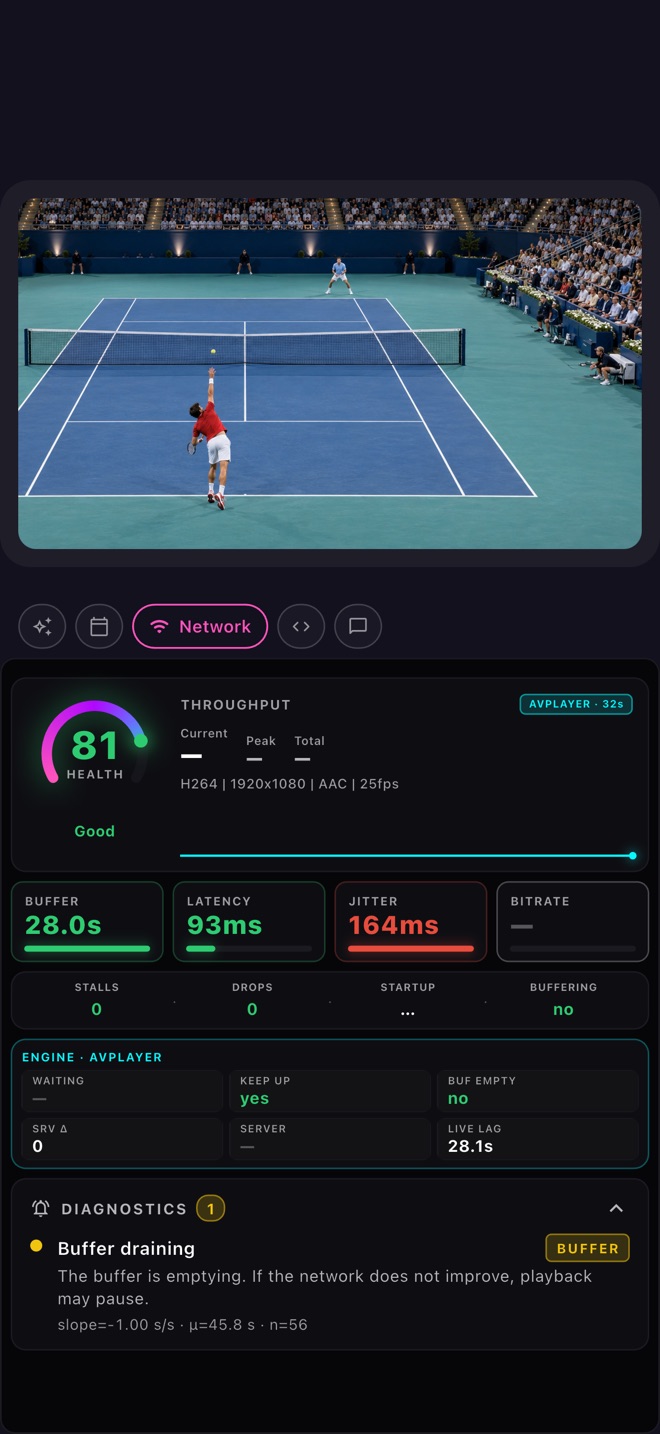
See how playback is performing.
Premium
TV, browser or a floating window
Premium
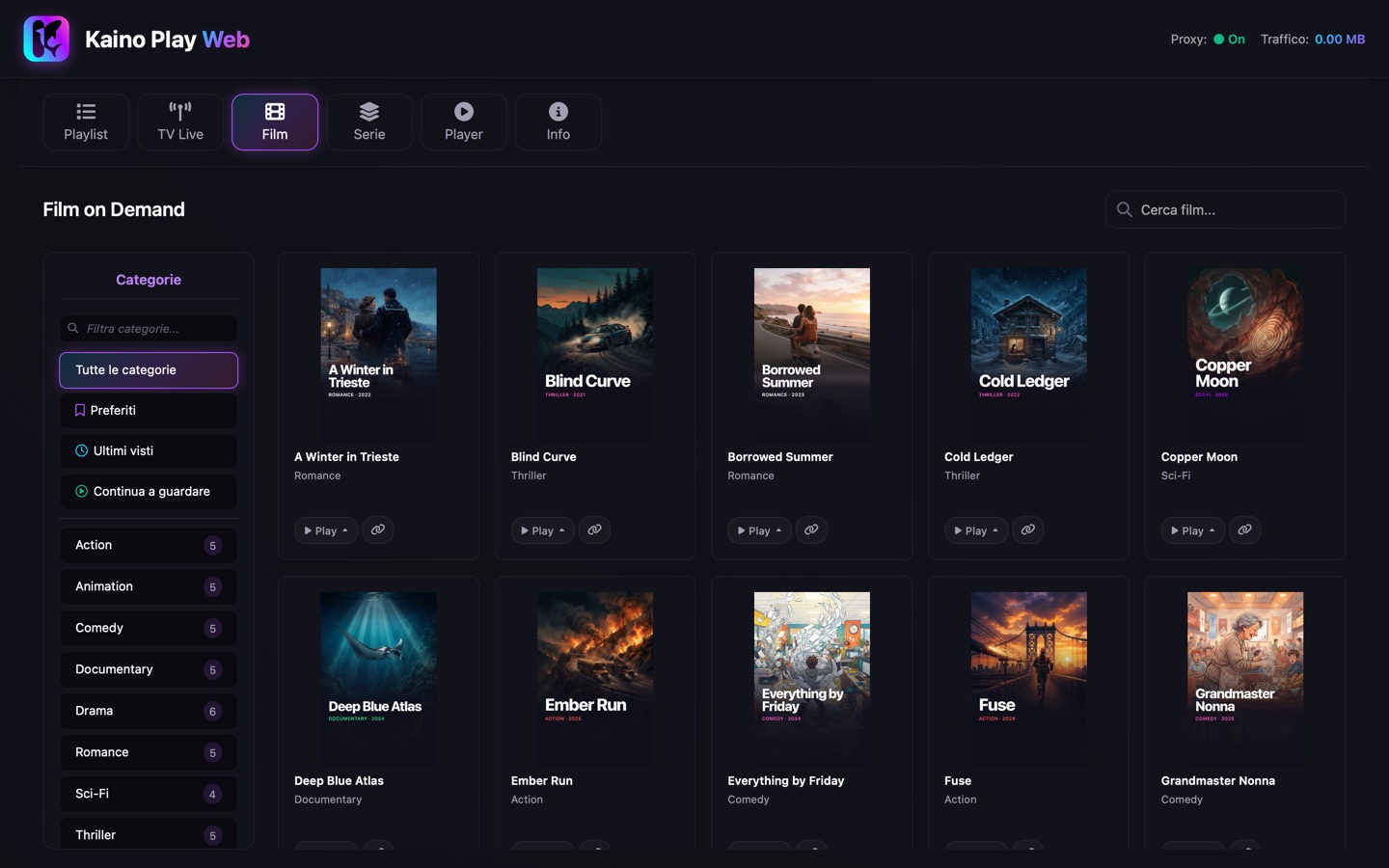
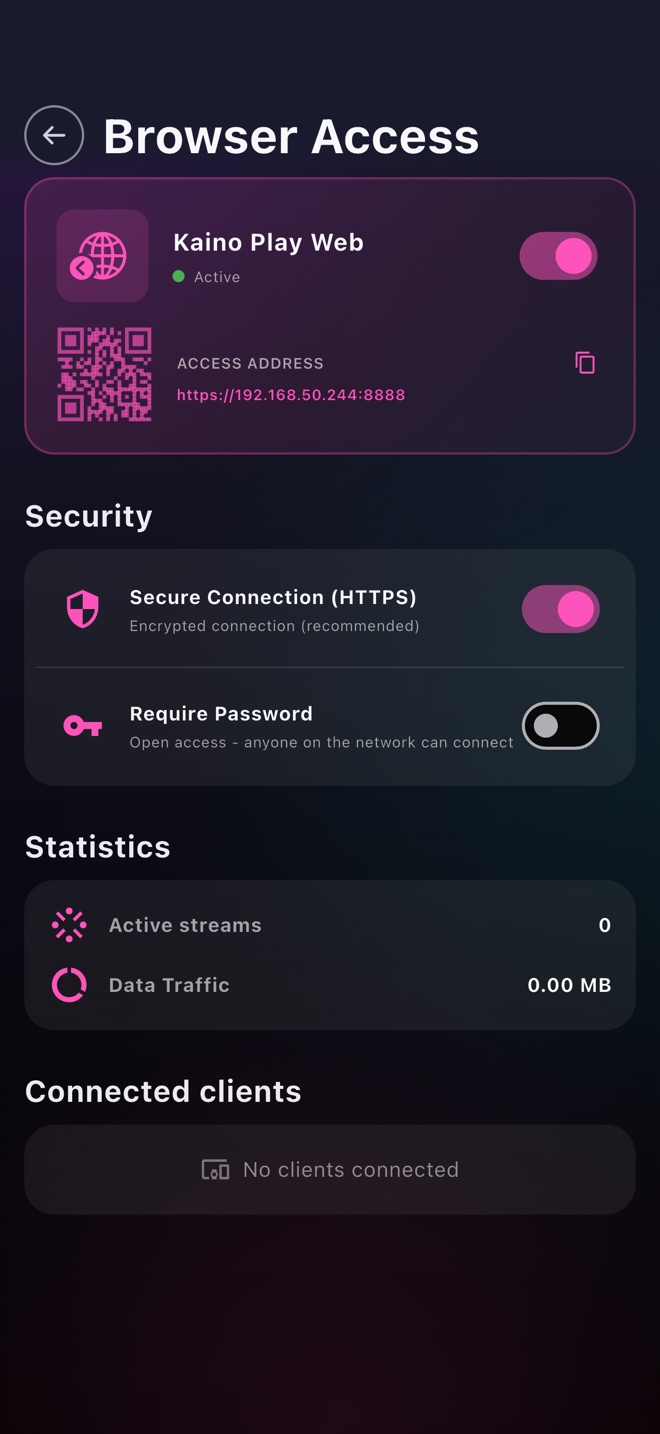
Open the address in any browser
Premium
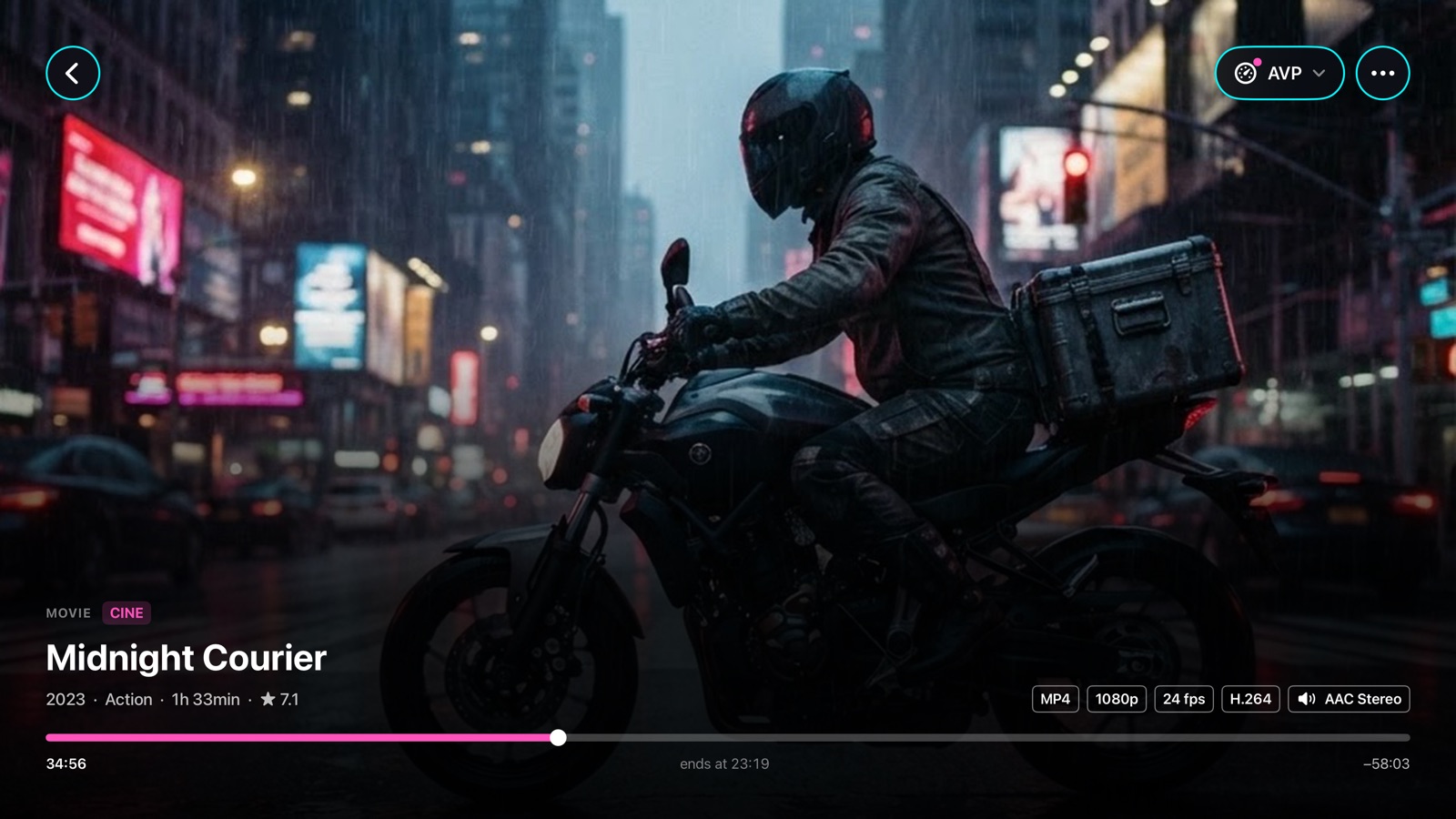
New on Apple TV
Kaino Play brings live TV, films and series from your playlists to Apple TV, with an interface designed for the Siri Remote.
On Apple TV you need Premium or an active free trial. Already have Premium on iPhone or iPad? Use the same App Store account and choose Restore Purchases: no second subscription needed.


Premium
Start on one, continue on the other, right where you left off
Requires Premium and the same iCloud account on iPhone and Apple TV.

Midnight Courier
34:541:33:00
Watch on Apple TV
Playing on Apple TV

On iPhone and iPad you start for free. Premium unlocks the TV guide, films and series, source analysis, playback continuity between iPhone and Apple TV, and the Apple TV app.
On iPhone and iPad, no subscription
On iPhone, iPad, Mac and Apple TV
Monthly
€1.29
per month
7-day free trial
Yearly
€9.99
per year
14-day free trial
Lifetime
€29.99
one-time
Forever
No charge during the trial. Cancel anytime in the App Store.
Family Sharing included.
On Apple TV, use the same App Store account and choose Restore Purchases: moving to Apple TV does not start a new trial.
Free trials are available to eligible users; duration, price and terms are shown before purchase. Subscriptions renew automatically unless canceled in your Apple account settings.
Prices shown refer to the Italian App Store and may vary by country or region. Please check the actual price on your device's App Store before purchasing.
| Feature | Free | Premium |
|---|---|---|
| Personal Media Player | ||
| No ads | ||
| Local video, audio and photos | ||
| Custom folders and lists | ||
| Multi-engine player (VLC, Native, MediaKit) | ||
| Subtitles and audio tracksSwitch audio language and enable subtitles on supported video streams | ||
| Parental Control with PIN | ||
| Database backup and security | ||
| Custom themes | ||
| IPTV and streaming | ||
| 1 IPTV playlist (M3U / Xtream / Stalker)All live channels, unlimited playback, free forever | ||
| Unlimited playlists (more than 1)Add, update and manage multiple playlists without limits | ||
| EPG: TV Guide with catch-upExternal XMLTV supported | ||
| Movies and series (VOD) with TMDB metadataAutomatic covers, plots and ratings, visible but playback is Premium | ||
| Channel search, favorites and history | ||
| Custom sorting and groups | ||
| Real-time HLS Transcoding | ||
| Bulk channel analysisScan all channels to check codec, resolution, FPS and online/offline status in a single report | ||
| Advanced features | ||
| Picture-in-Picture (PiP) | ||
| AirPlay and Google Cast (Chromecast) to TV and external displays | ||
| Browser controliPhone, iPad or Mac as server, access from PC, tablet or smart TV | ||
| Network Analyzer (bitrate, FPS, codec) | ||
| Playback continuity between iPhone and Apple TV | ||
| Add-ons compatible with the Stremio API | ||
| iCloud archive | ||
Kaino Play combines IPTV and a media player and is available for iPhone, iPad, Mac and Apple TV. Manage your M3U, Xtream Codes and Stalker playlists and control playback; on iPhone and iPad you can also play your own videos, photos and audio files.
On iPhone and iPad, with no subscription: 1 IPTV playlist with live channels, with no app-imposed usage limits, playback of your own videos, photos and audio files, and the VLC, Native and MediaKit players. The TV guide, films and series, more playlists and the other tools require Premium.
No. Kaino Play does not include channels, films or streaming services: content comes from the playlists and files you import. Only import sources you have the right to access.
M3U and M3U8, Xtream Codes and Stalker Portal. With Premium you manage multiple playlists and the add-ons compatible with the Stremio API that you configure.
iPhone, iPad, Mac and Apple TV. Your own files play on iPhone and iPad. On Apple TV the app requires Premium or an active free trial. Available features may vary by platform.
No. If you already have Premium or an active trial on iPhone or iPad, use the same App Store account and choose Restore Purchases on Apple TV. Moving to Apple TV does not start a new trial, and the Apple TV version has no permanent free tier.
Transfer playback between iPhone and Apple TV and choose where to continue. The devices do not need to be on the same network: it also works when your iPhone uses cellular data. It requires Premium and the same iCloud account on both, with internet access and access to the content source.
From your phone: Apple TV shows a QR code, you scan it and enter the playlist in your phone's browser, without typing addresses and credentials with the remote. The phone and Apple TV must be on the same local network. You can also import sources from the iCloud archive.
With Premium, turn on browser access in settings. From a PC, tablet or smart TV on the same local network, open the address shown in the app and watch your content, with compatible browsers and formats.
Yes: Family Sharing is included.
A monthly subscription at €1.29 or a yearly one at €9.99, or a one-time lifetime purchase at €29.99. Subscription free trials are available to eligible users: duration, price and terms are shown before purchase. Subscriptions renew automatically unless canceled in your Apple account settings.
Yes. The database on your device is an encrypted SQLite database and Kaino Play collects no personal data: it only sends anonymous crash reports and diagnostics. With Premium you also get configuration backup and restore, and PIN parental controls.
Kaino Play for iPhone, iPad, Mac and Apple TV.